Four buses in one table
A fieldbus carries input and output data between the PLC and the modules on the machine. EtherCAT and PROFINET run on Ethernet cable; PROFIBUS and Modbus RTU are older serial buses that are still everywhere.
| EtherCAT | PROFINET | PROFIBUS DP | Modbus | |
|---|---|---|---|---|
| Wire | Ethernet, 100 Mbit/s | Ethernet, 100 Mbit/s | RS-485, up to 12 Mbit/s | RS-485 or RS-232 (RTU), Ethernet (TCP) |
| Topology | Line, branches only through EtherCAT junctions | Star or line through switches | Line, terminated at both ends | Line (RTU), any Ethernet network (TCP) |
| Addressing | By position on the line, automatic | Device name plus IP address | Station address, usually set by switches | Slave address (RTU), IP address (TCP) |
| Device file | ESI (XML) | GSDML | GSD | None, you read the register map |
| Where you meet it | Beckhoff, motion, newer machines | Siemens-controlled lines | Older Siemens lines, valve terminals | Meters, temperature controllers, remote I/O |
What is EtherCAT?
EtherCAT is an Ethernet fieldbus that Beckhoff developed and that the EtherCAT Technology Group now maintains as an open standard. The master, usually a PC running TwinCAT, sends one Ethernet frame down the line. Each module reads its outputs and writes its inputs into that frame as it passes through, and the last module on the line sends the frame back.
For maintenance this means two things. The order of modules on the line matters, because the master finds them by position and compares what it finds with its configuration. And there are no switches inside an EtherCAT segment: branches are made with EtherCAT junctions such as the Beckhoff EK1122 (RJ45) or EP1122 (M8). Copper cable between two devices can be up to 100 m.
Beckhoff EK1100 and EL terminals
The EK1100 is the EtherCAT coupler at the head of a DIN rail block. It has two RJ45 sockets: the upper one takes the cable from the master, the lower one passes EtherCAT on to the next device. You feed it 24 V DC twice, once for the system electronics and once for the field side, and it powers the terminals beside it over the E-bus, up to 2 A at 5 V. Longer blocks need a power feed terminal such as the EL9410.
The terminals clipped on to its right are EL modules. The EL1008 is an 8-channel digital input for 24 V DC with a 3 ms input filter and 1-wire connection: the sensor's signal wire goes to the terminal, and 0 V comes from the power contacts.
EtherCAT Box (EP) modules for IP67
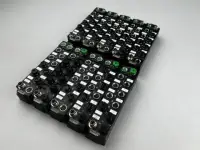
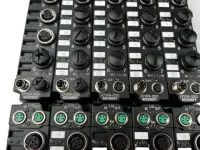
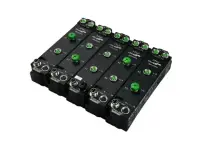
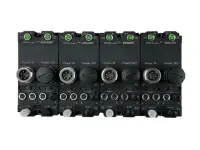
An EtherCAT Box carries the same electronics in a sealed IP67 housing that bolts straight on to the machine. Sensors and valves plug in with M8 or M12 connectors, so no cabinet is needed. EtherCAT comes in and goes out on two 4-pin M8 sockets, and the 24 V supply is looped from box to box on a separate 4-pin M8 connector.
EP boxes and EK1100 blocks sit happily on the same EtherCAT line. From the EK1100's lower RJ45 socket you run a cable with an M8 EtherCAT plug on the other end to the first box. The EP9214 power distribution box feeds four 24 V branches to further boxes, each with its own current monitoring and switch-off.
Reading a Beckhoff part number
The letters give the system; the first digit gives the function.
| Prefix | Meaning |
|---|---|
| EK | EtherCAT coupler (EK1100) |
| EL | EtherCAT Terminal on DIN rail |
| EP | EtherCAT Box, IP67 |
| KL, BK | Older K-bus Bus Terminals and their couplers |
| IE | Extension Box of the older Fieldbus Box system |
| CU | Infrastructure, for example the CU2008 switch |
After the prefix, 1 is digital input, 2 digital output, 3 analog input, 4 analog output, and 9 system modules. The four digits after the dash are the variant, and the variant matters. Our two EP1018 boxes show it well:
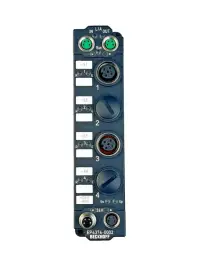
- EP1018-0001: 8 digital inputs, 24 V DC, 10 µs filter, M8 connectors. We have 79.
- EP1018-0002: the same 8 inputs with M12 connectors. We have 12.
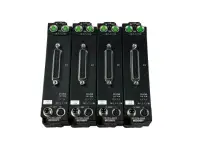
- EP2316-0008: 8 inputs plus 8 outputs at 0.5 A, all on one 25-pin D-sub.
- EP4374-0002: 2 analog inputs and 2 analog outputs, each settable to ±10 V or 0/4 to 20 mA, M12.
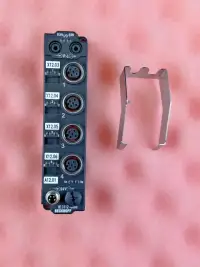
The IE3112-0000 is from the older Fieldbus Box family: a 4-channel 0/4 to 20 mA input box with M12 sockets. It talks to a Coupler Box over IP-Link, and the Coupler Box decides which fieldbus the group speaks.
EtherCAT vs PROFINET
Both use 100 Mbit Ethernet cable and often the same RJ45 or M12 D-coded connectors, so the plug will not tell you. The difference shows when you change a module. A replacement EtherCAT module is found by its position, so a like-for-like swap usually runs as soon as it is plugged in. A replacement PROFINET device needs its device name assigned, in TIA Portal on a Siemens PLC for example, before the controller accepts it. PROFINET devices usually have a two-port switch built in, and a managed switch can sit in a PROFINET network; in an EtherCAT segment it cannot.
PROFIBUS and Modbus on older machines
PROFIBUS DP runs on a two-wire RS-485 line, usually purple cable with 9-pin D-sub plugs or B-coded M12. Each station has an address set by rotary or DIP switches, and the line needs its terminating resistor switched on at the first and last station, and nowhere else. The two classic faults: a terminator left on in the middle of the line, and two stations with the same address.
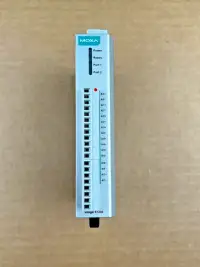
Modbus is the simplest of the four. A master polls each slave in turn and reads or writes numbered registers. Modbus RTU runs on RS-485, Modbus TCP on Ethernet. With no device file, you work from the device's register table. The Moxa ioLogik E1240, 8 analog inputs as a Modbus TCP server, is a typical example; we have 14.
How to tell which bus a module speaks
- The part number. On Beckhoff, the coupler decides: EK1100 is EtherCAT, while the same EL terminals behind an EK9300 talk PROFINET to the PLC. On valve terminals the bus node name says it: Festo CPX-FB37 and CPX-FB38 are EtherCAT, SMC EX260-SPR1 is PROFIBUS DP, Aventics AES-D-BC-ECAT is EtherCAT.
- The label. ECAT or EtherCAT, PN or PNIO, DP or PB, RTU or TCP.
- The ports. Two sockets marked IN and OUT, or X1 and X2, point to EtherCAT. A 9-pin D-sub with an address switch beside it is almost always PROFIBUS. Screw terminals marked A and B, or D+ and D-, are RS-485, which is often Modbus RTU.
- The cable colour. Purple is PROFIBUS; green Ethernet cable usually means PROFINET.
Mixing modules on one bus
On one EtherCAT line you can mix EL blocks, EP boxes and other makers' EtherCAT devices, such as a Festo CPX valve terminal, as long as the master has each device's ESI file. Older KL Bus Terminals join an EtherCAT block through a BK1250 coupler. A PROFINET or PROFIBUS device cannot sit on an EtherCAT line directly; it needs a gateway terminal or a separate network.
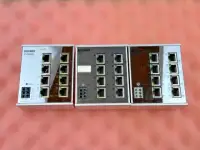
The CU2008, an 8-port 100 Mbit switch on 24 V DC, belongs on the ordinary Ethernet side of the cabinet: the IPC, the HMI, the programming laptop. Keep it out of the EtherCAT line.
Asking us for a module
The Beckhoff modules above are on our shelf in Szeged. Send the full part number with its four-digit variant and we will confirm the match, describe each piece's condition in the quote and ship by FedEx. Ask for a price here.